What is a QR code? A QR code, short for “Quick Response” code, is a two-dimensional barcode that stores information such as URLs, text, contact details, Wi-Fi credentials, and payment data. With a simple smartphone scan, users can instantly access digital information without manually typing it. In this guide, QRCode-Gen explains what a QR code is, how it works, the different types and use cases, how to scan one, and what you should know before using QR codes.
What Is a QR Code?
A QR code is a machine-readable optical label consisting of black squares arranged on a white square grid. Unlike traditional one-dimensional barcodes, a QR code stores data both horizontally and vertically, allowing it to hold significantly more information and be read at high speeds.
- Invention (1994): Developed by Masahiro Hara at Denso Wave (a subsidiary of Toyota) to track automotive parts and vehicles accurately throughout the manufacturing process.
- Global Standardization (2000): Formally recognized as an international standard under ISO/IEC 18004.
- Mass Adoption (2017–Present): Native QR code scanning was integrated directly into standard mobile camera apps across iOS and Android, eliminating the need for third-party scanning software and accelerating global adoption.
A QR code is a high-speed, two-dimensional barcode standard developed for rapid optical recognition across modern digital devices
How Does a QR Code Work?
A QR code works by translating raw data into binary code (a sequence of $1$s and $0$s). Within the matrix, dark modules represent binary $1$, while light modules represent binary $0$. When a camera or optical scanner scans the code, it maps out the coordinate grid, reads the binary clusters, and decodes them back into text, URLs, or commands.
A standard QR code is constructed from six functional components:
- Quiet Zone: The blank, solid-color margin surrounding all four outer edges. It isolates the code from surrounding graphics so scanners can detect the boundary accurately.
- Finder Patterns: The three large, concentric square markers positioned at the top-left, top-right, and bottom-left corners. They establish the code's orientation and boundary, enabling full $360^\circ$ scanning from any angle.
- Alignment Pattern: A smaller square located near the bottom-right corner that corrects for optical distortion if the code is printed on curved, skewed, or uneven surfaces.
- Timing Patterns: Alternating black-and-white rows and columns connecting the finder patterns. They define the matrix grid size and coordinate intervals.
- Version Information: Dedicated module blocks located near the top finder patterns that specify the exact QR code version (ranging from Version 1 up to Version 40).
- Data Modules: The remaining interior square modules that store the actual encoded payload (such as URLs, contact files, or text strings).
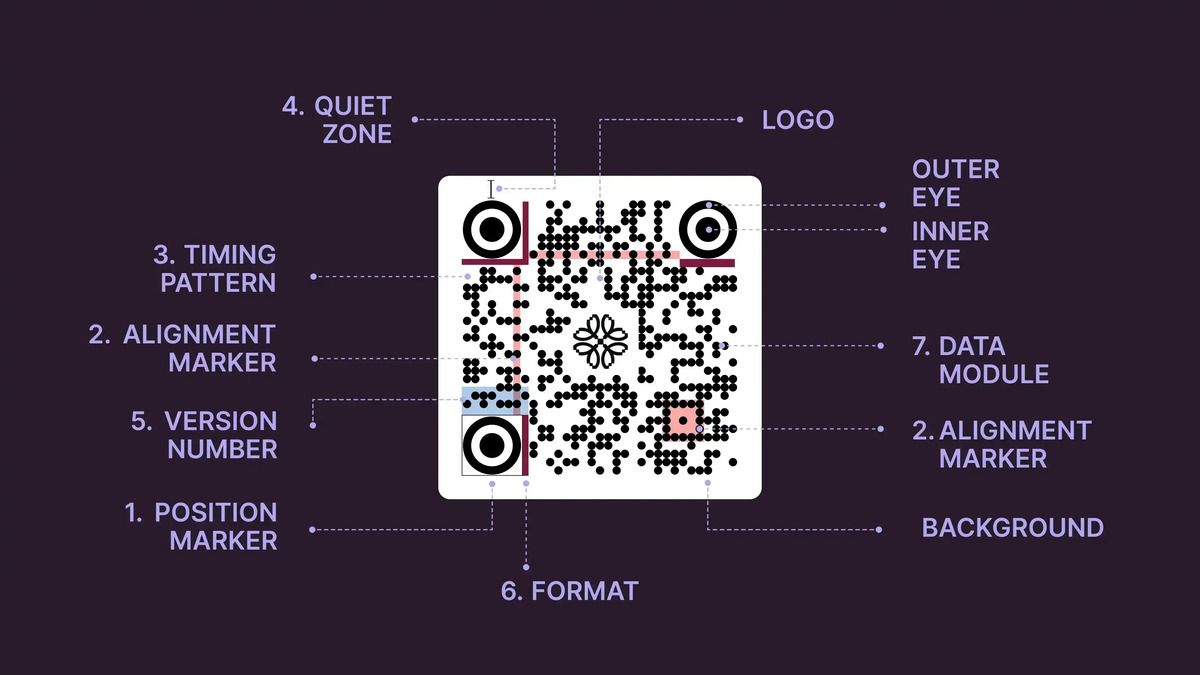
QR codes encode data into a coordinate grid of binary modules decoded via distinct positioning and alignment patterns
QR Codes vs. Traditional Barcodes: Key Differences
Traditional 1D barcodes and 2D QR codes share the goal of identifying items, but their technical capabilities differ substantially across dimensions, capacity, and resilience.
- Reading Dimensions (1D vs. 2D): Traditional linear barcodes store data in one direction (horizontally) and require a straight laser beam across the lines. QR codes store data across two dimensions (horizontally and vertically), enabling multi-angle optical scanning.
- Data Storage Capacity: Linear barcodes are constrained to roughly 20 numeric characters. In contrast, a maximum-density QR code (Version 40-L) can store up to 7,089 numeric characters or 4,296 alphanumeric characters.
- Supported Data Types: Barcodes are limited primarily to numeric product codes (e.g., UPC, EAN). QR codes support alphanumeric text, direct website URLs, Wi-Fi credentials, geo-coordinates, complex vCard files, and non-Latin character sets like Japanese Kanji.
- Error Correction Capability: Damaged or scratched 1D barcodes often become completely unreadable. QR codes incorporate Reed-Solomon error correction algorithms across four levels (L, M, Q, H), allowing complete data recovery even if up to 30% of the code surface is damaged, stained, or covered by a custom logo.
- Print Footprint & Versatility: Because QR codes store data in a two-dimensional grid, they occupy less surface area while carrying far more information, making them ideal for packaging, posters, and business cards.
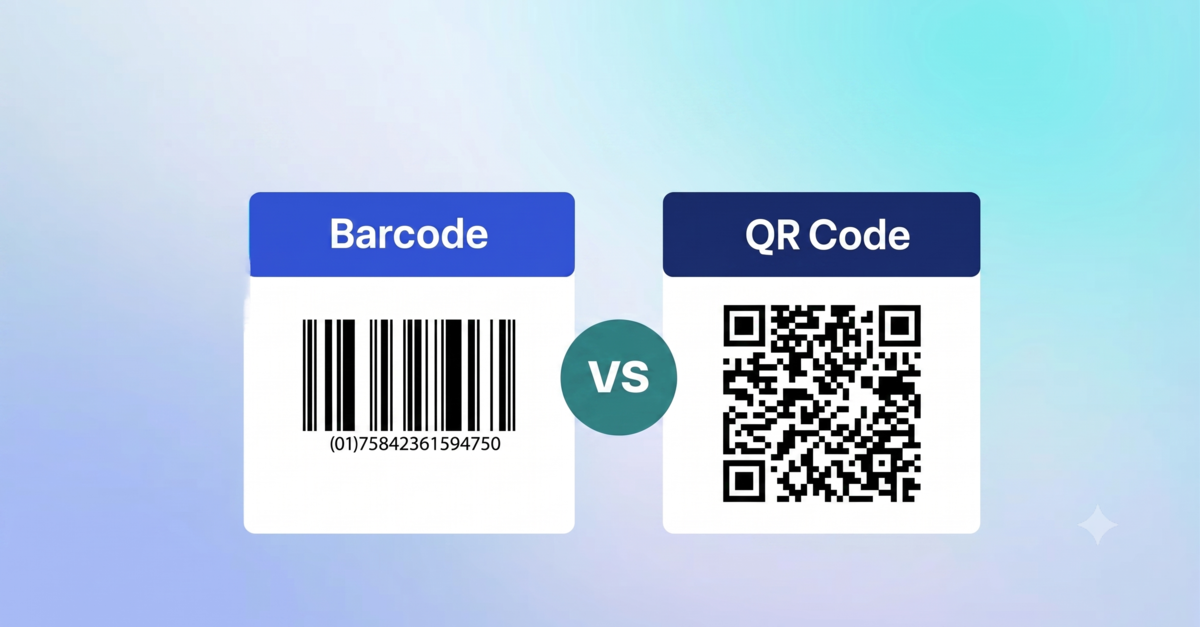
QR codes far exceed traditional 1D barcodes in storage capacity, multi-angle readability, and built-in error tolerance
Common Types and Use Cases of QR Codes
QR codes are deployed across diverse industries to bridge physical media with digital assets, streamlining interactions from everyday payments to enterprise logistics. Depending on the intended function, they encode distinct data formats tailored to user needs:
- Website QR Code: Routes users directly to target landing pages, marketing campaigns, or product portals without requiring manual URL entry in mobile browsers.
- Payment QR Code: Enables touchless point-of-sale transactions via merchant-presented codes or user-generated wallet tokens across retail checkouts.
- Wi-Fi QR Code: Automates wireless network access by embedding SSID credentials and encryption keys for instant, password-free connections.
- Business Card QR Code (vCard): Packages personal contact details, emails, and phone numbers into a downloadable file that saves to address books in one tap.
- App Store QR Code: Detects the user's mobile operating system automatically to route downloads to either the Apple App Store or Google Play Store.
- Event QR Code: Consolidates calendar schedules, digital ticketing verification, interactive venue maps, and contactless admission check-ins.
- Traceability and Packaging QR Code: Delivers verifiable manufacturing origins, batch details, and ingredient transparency for retail products and supply chains.
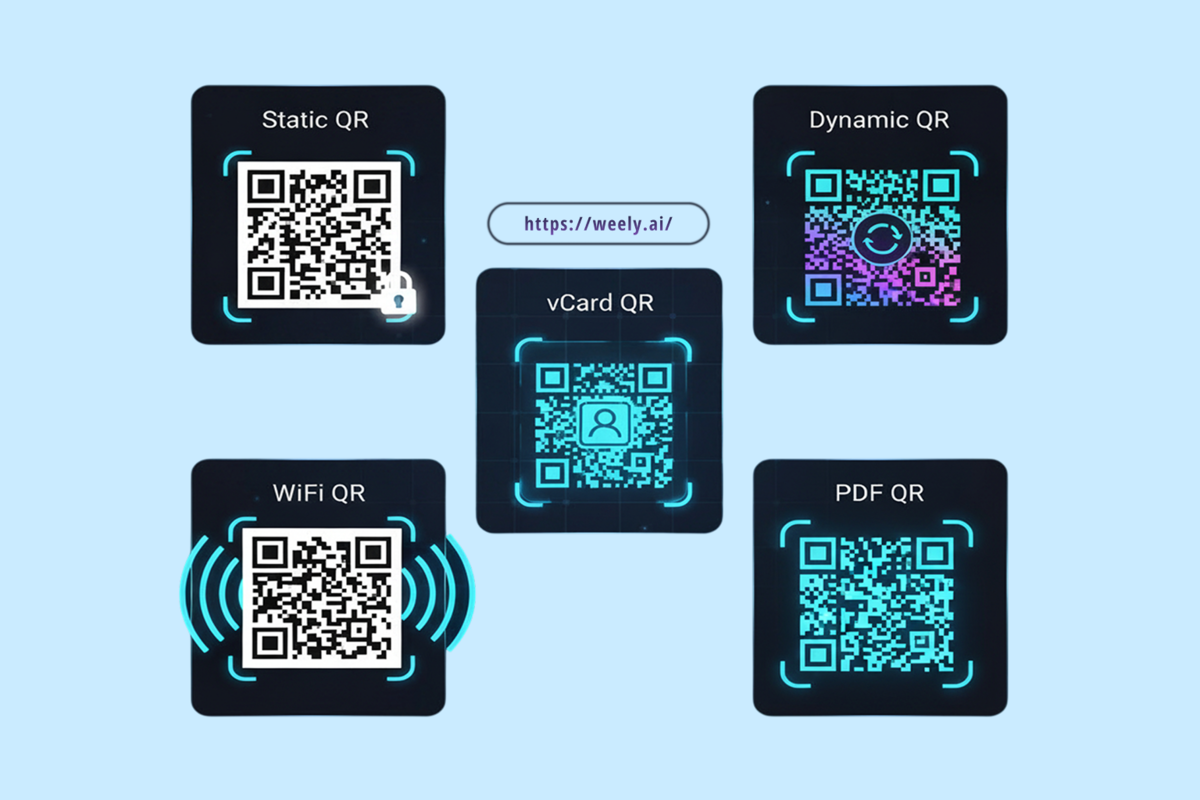
Versatile QR code formats enable frictionless digital connections across marketing, payments, networking, and supply chain management
How to Create and Customize a QR Code
Creating a tailored QR code involves a simple three-step process:
- Choose a Content Type: Select the format that matches your use case, such as a website URL, vCard, Wi-Fi configuration, email, phone number, SMS, or Google Maps location.
- Enter Details & Customize: Input your destination payload, then customize the palette colors, frame borders, finder patterns, and central brand logo.
- Generate & Download: Render the final graphic and export it in high-resolution raster (PNG) or scalable vector (SVG) format for direct printing.
Thanks to integrated Reed-Solomon error correction, you can stylize the code without breaking scannability. Choosing the right error correction level balances design flexibility with matrix density:
- Level L (~7% recovery): Lowest module density; ideal for clean, high-contrast digital displays.
- Level M (~15% recovery): The standard balance for general commercial use and marketing materials.
- Level Q (~25% recovery): Suitable for moderate branding, custom frames, or potential wear and tear.
- Level H (~30% recovery): Maximum tolerance; required when embedding large logos or printing on high-wear surfaces.
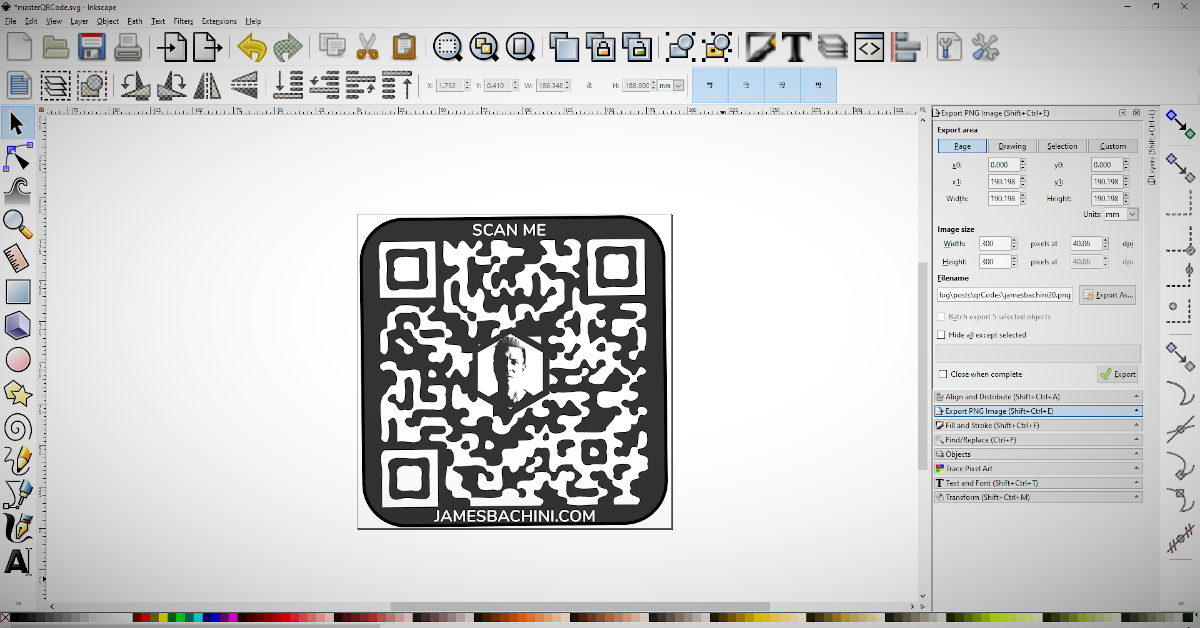
Select your data type, apply error correction, and test before mass production
>>> Read more: How to create colors for QR codes with the qrcode-gen application
Best Practices for Printing and Sizing QR Codes
Achieving consistent scan reliability across printed media requires proper file exports, accurate sizing ratios, and strategic placement:
- Export Vector Files for Large-Scale Print: Always generate high-resolution assets. While PNG works well for standard digital screens, vector formats (SVG, EPS) can scale infinitely without pixelation or edge blurring on large-format billboards and banners.
- Apply the 10:1 Scanning Distance Ratio: A practical baseline is that scanning distance is roughly ten times the printed width of the code ((Distance = Code Width × 10).
- A 2cm wide code is comfortable to scan from 20cm away (ideal for business cards, brochures, and flyers).
- Signage, posters, and billboards viewed from meters away require proportionally larger dimensions.
- Maintain the Quiet Zone: Keep a clean, high-contrast margin around all four outer edges so optical scanners can isolate the matrix from surrounding artwork.
- Optimize Print Materials and Surfaces: Avoid heavily textured, wrinkled, highly reflective (glossy), or sharply curved surfaces that distort light and create optical glare.
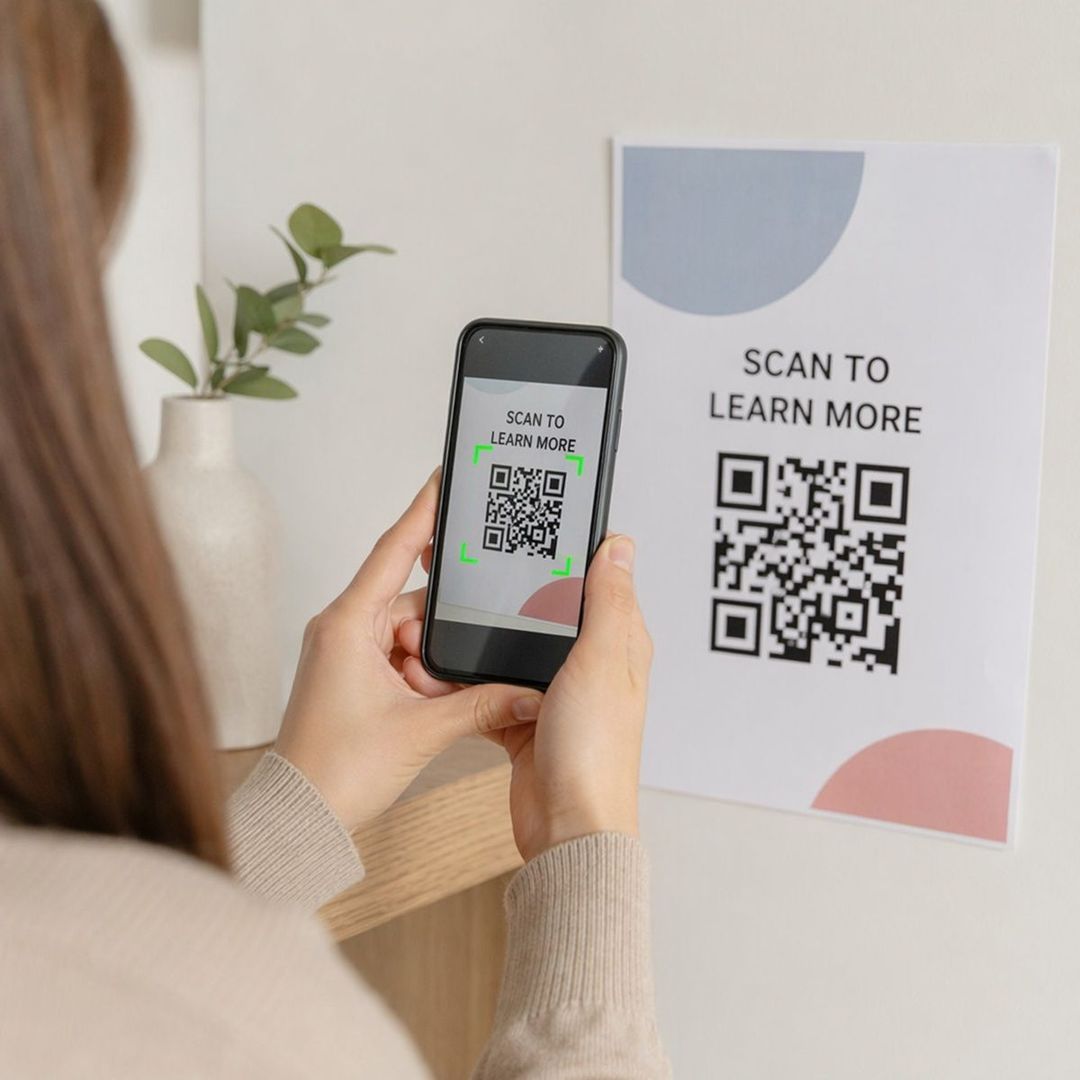
Use scalable vector files, preserve a clear quiet zone, and follow the 10:1 scanning ratio
How to Scan a QR Code (iOS & Android)
On iPhone (iOS)
- Open the native Camera app from the Home Screen or Control Center.
- Position the rear-facing camera so the QR code is centered in the viewfinder.
- A notification banner containing the decoded link or action will appear on the screen. Tap the banner to open it.
On Android
Open the native Camera app and point it steadily at the QR code.
- Tap the pop-up link bubble that appears over the viewfinder.
- If your default camera does not automatically parse QR codes, use Google Lens (integrated into the Google search bar and camera) or standard messaging utilities with built-in scanners to read the code.
- Modern smartphones can scan QR codes natively using built-in camera apps or integrated visual search tools.
Common Mistakes to Avoid When Using QR Codes
Prevent common implementation failures that disrupt user experience or reduce campaign conversions:
- Inadequate Sizing and Inaccessible Placement: Printing codes too small for the user's scanning distance, positioning them out of physical reach, or placing them in dim lighting environments prevents optical recognition.
- Low Contrast Palettes: Insufficient contrast between dark foreground modules and light background areas (or using dark patterns on dark backgrounds) prevents camera sensors from differentiating individual cells.
- Non-Mobile-Friendly Landing Pages: Routing mobile users to slow, unoptimized, or desktop-oriented destination pages creates immediate bounce rates and breaks the user journey.
- Neglecting Link Security: Failing to use secure HTTPS protocols or routing through unverified third-party domains exposes campaigns to phishing risks and lowers customer trust.
Avoid poor contrast, tiny dimensions, unoptimized mobile links, and unverified domains
Frequently Asked Questions (FAQ)
Are QR Codes Safe to Use?
Yes, the code structure itself is completely safe and cannot execute malware directly. However, scammers can use "Quishing" (QR phishing) by pasting fake stickers over real codes to direct users to phishing sites or malicious downloads. Always preview the link before opening and scan only trusted sources.
Do QR Codes Expire?
Static QR codes never expire because their data is hardcoded into the graphic permanently. Dynamic QR codes can expire, pause, or change destinations depending on the settings configured by the creator.
Can QR Codes Work Without the Internet?
Yes, for static codes holding offline data like plain text, Wi-Fi credentials, or vCard contacts. An internet connection is only necessary when opening web links, online payment portals, or dynamic redirects.
Can I Customize the Design of a QR Code?
Yes. Thanks to built-in error correction algorithms (tolerating up to 30% visual obstruction), you can safely customize colors, shapes, frames, and central brand logos without losing scan reliability. Always test the code before mass printing.
QR codes provide a fast and convenient way to share information, connect users to digital content, and simplify everyday transactions. By understanding what a QR code is and how it works, you can choose the right type and use it effectively. With QRCode-Gen, creating a customized QR code for your business or personal needs is quick and easy.