Deploying physical marketing materials, packaging labels, and customer-facing collateral often requires ongoing updates to destination URLs, digital documents, or promotional offers. When destinations change, reprinting large batches of physical materials creates substantial financial and operational waste. Using an editable Dynamic QR code powered by QRCode GEN eliminates this friction by routing users through an adaptable redirect architecture, giving creators complete control over their physical touchpoints.
What Is a Dynamic QR Code and How Does It Work?
A dynamic QR code is a smart two-dimensional barcode that connects scanners to an online destination via a managed, high-speed redirect link. Unlike codes that permanently embed long raw URLs directly into their physical pixel grid, a dynamic code encodes a short, standardized web address (such as nqr.link/abc123).
When a user scans the code using a smartphone camera, the device reads the compact redirect link and contacts the routing service. The server instantly forwards the visitor to whatever target URL, landing page, or document is currently assigned in your management console. Because the physical code merely represents the short routing address, creators can modify the final destination at any time while leaving the printed graphic completely unchanged. Furthermore, encoding a compact short link ensures that the black-and-white module grid remains sparse and clean, allowing mobile sensors to scan the code effortlessly even at small print dimensions.
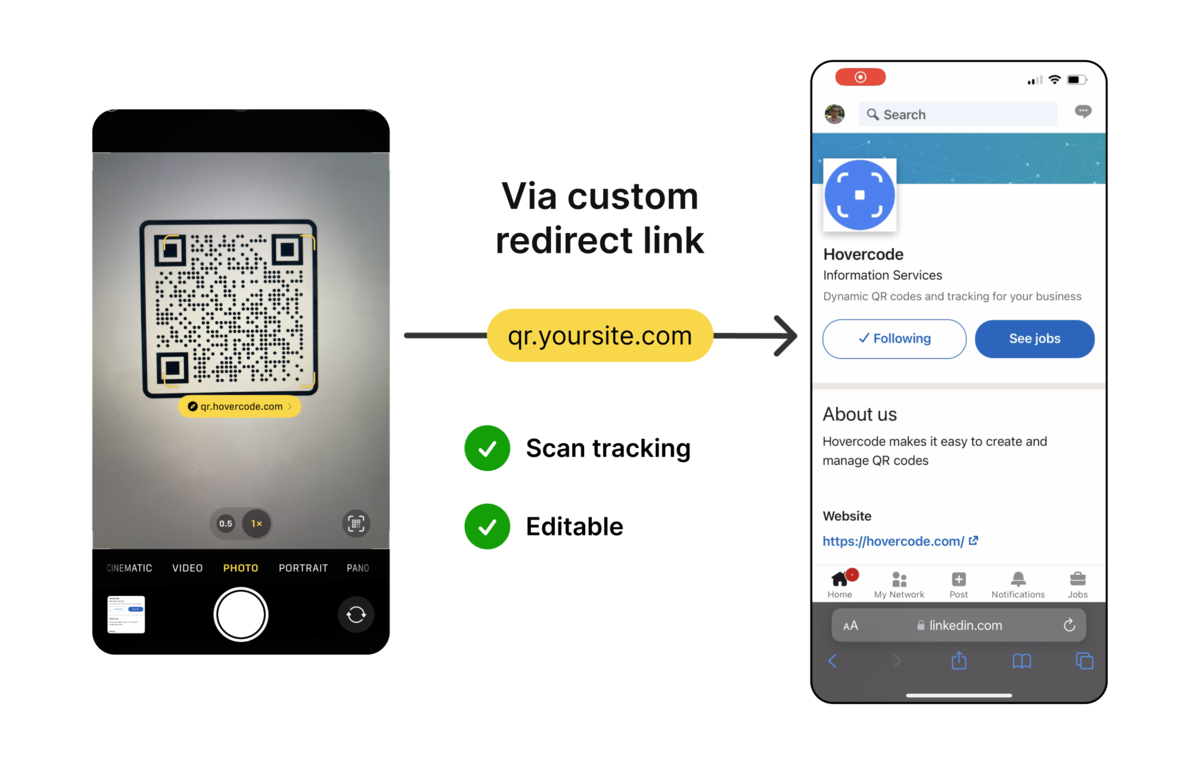
A dynamic QR code encodes a managed short redirect link, keeping the matrix pattern clean while enabling instant destination updates
>>> Read more: Static vs. Dynamic QR Codes: Key Differences
Advantages and Operational Limitations of Dynamic QR Codes
Integrating editable codes into your communication workflows delivers unmatched operational agility, though understanding both strengths and operational dependencies ensures a successful rollout:
Key Advantages
- Post-Print Destination Editing: Replace landing pages, online forms, or seasonal PDF documents in your dashboard without replacing printed posters, labels, or table tents.
- Integrated Campaign Measurement: Evaluate marketing effectiveness across multiple placements using built-in QR code scan analytics to monitor engagement trends.
- Optimized Matrix Density: Maintain a clean, low-density pattern regardless of how long or complex the final destination URL and tracking parameters are.
- Branded Custom Domains: Connect your organization's custom subdomain so that visitors encounter a familiar, trusted brand address during redirection.
- Long-Term Campaign Reliability: Setting up a properly managed dynamic QR code that doesn't expire ensures your long-term print assets, product boxes, and signage remain permanently functional.
Operational Limitations
- Internet Dependency: Scanning devices must have an active cellular data or Wi-Fi connection to reach the redirect server and load the destination.
- Server-Side Routing: Continued functionality relies on maintaining an active account and valid hosting service.
- Aggregated Scan Insights: Performance metrics reflect network-level engagement trends rather than individual personal identities or guaranteed purchase conversions.
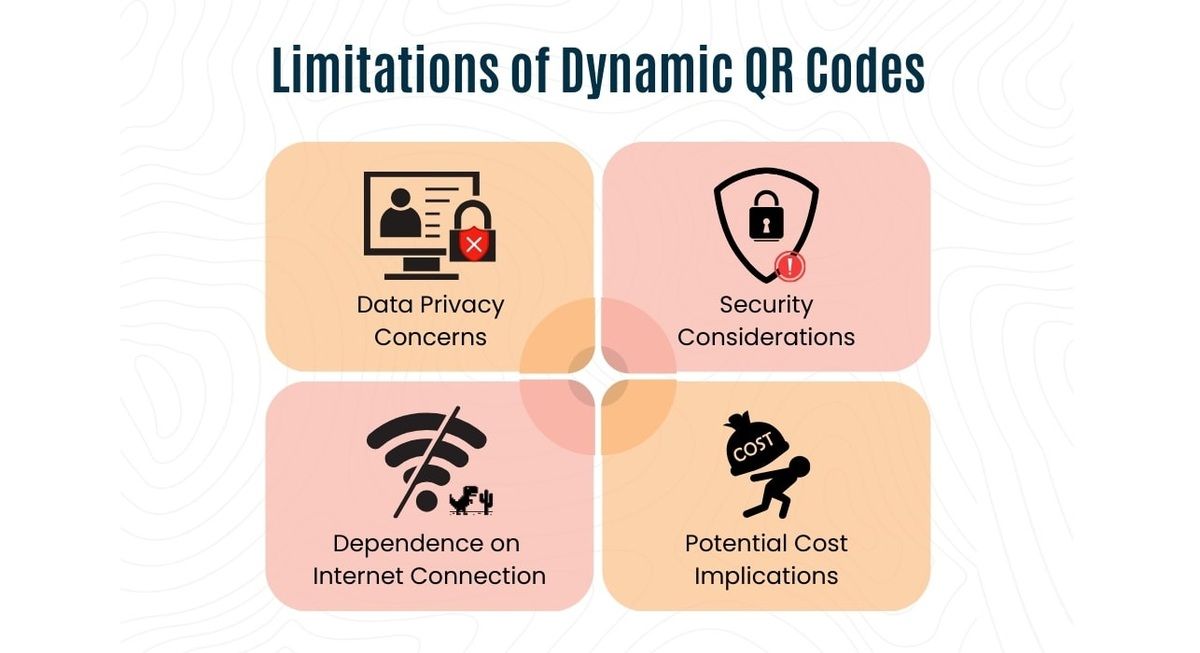
Dynamic QR codes provide flexible editing and scan tracking, though destination routing requires active internet connectivity
Key Features and Customization Capabilities
Modern dynamic code generators offer a comprehensive suite of management tools designed to tailor each code to your exact operational requirements. Businesses can redirect codes to virtually any online asset, including websites, cloud storage documents, interactive menus, Google Maps locations, or mobile app store links. When sharing digital documents, pairing your dynamic campaigns with an optimized QR code for PDF allows you to swap out large files seamlessly without re-issuing physical collateral.
Beyond functional versatility, visual customization enables organizations to align every code with their brand identity. Creators can customize module shapes, select unique corner finder eye designs, apply specific color palettes, and embed corporate logos directly into the center of the grid. To bridge the gap between offline print and digital attribution, administrators can append standardized UTM parameters to destination links, ensuring every scan is tracked accurately within external web analytics software.
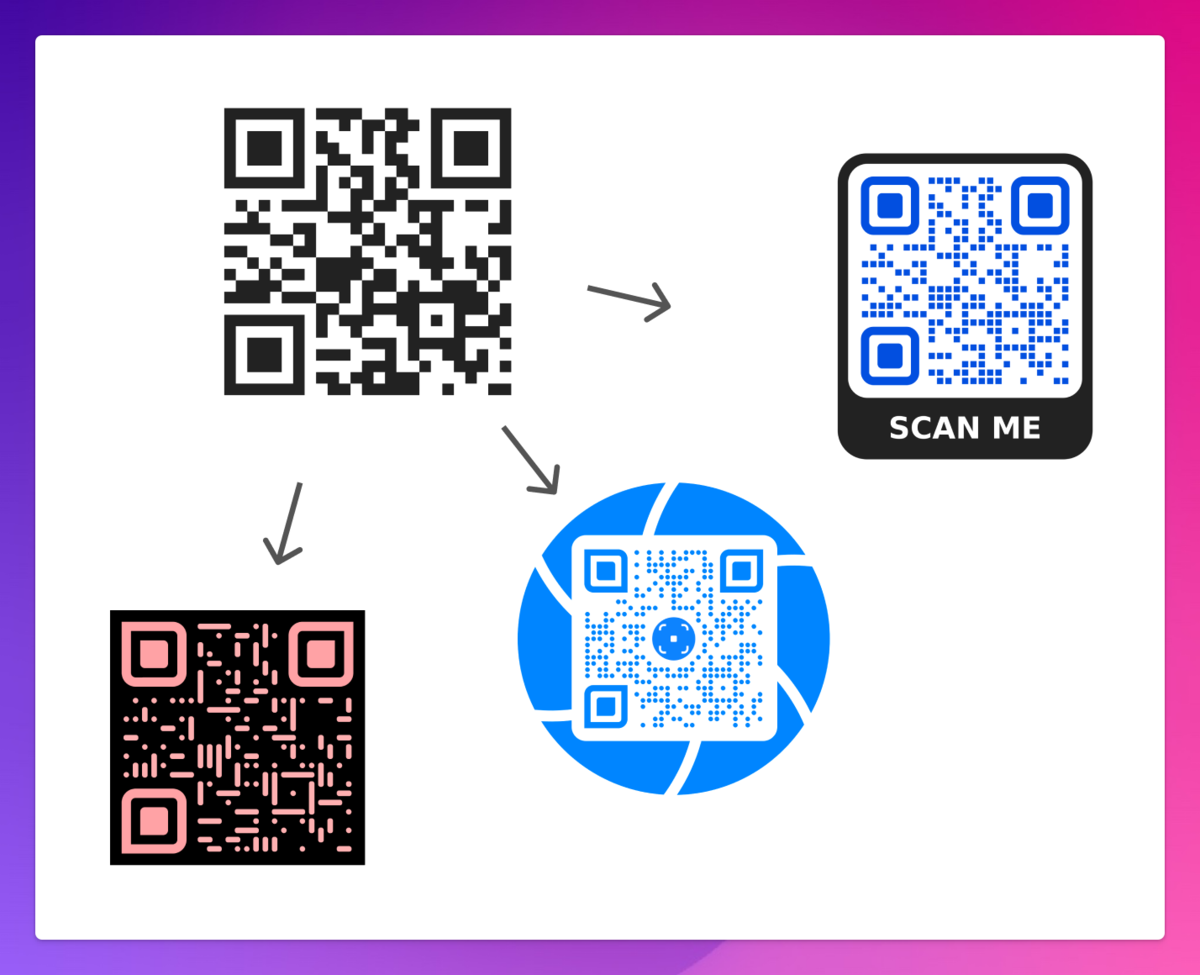
Dynamic QR platforms combine flexible destination routing, visual branding, custom domains, and vector file exports
Understanding QR Code Scan Analytics and Performance Tracking
Actionable performance data transforms static physical materials into measurable digital marketing channels. Reviewing comprehensive QR code scan analytics allows marketing teams and operations managers to monitor the health and reach of their campaigns across several core dimensions:
- Total Scans vs. Unique Scans: Track gross scan volume to measure general popularity alongside unique visitor counts to evaluate true audience reach.
- Time and Date Engagement: Identify specific peak hours and high-traffic days to refine promotion schedules, launch targeted discounts, or schedule staff accordingly.
- Device and Operating System Distribution: Review whether your audience scans primarily on iOS, Android, or desktop platforms, optimizing mobile landing pages for the dominant browser environments.
- Approximate Geographic Breakdown: Analyze regional and city-level distribution inferred from network routing to understand where physical materials generate the strongest response.
- Multi-Placement Channel Comparison: Assign unique dynamic codes to different physical placements such as storefront windows, direct mail flyers, and conference banners to determine which location produces the highest return on investment.
Dynamic QR analytics track engagement trends, peak scan hours, operating systems, and location distribution across campaign placements
How to Create and Update a Dynamic QR Code in 4 Steps
Generating, customizing, and managing your editable code involves four straightforward steps:
- Enter Your Target Destination: Paste the public, mobile-friendly webpage, cloud form, or digital document URL you want visitors to access.
- Generate and Save Your Dynamic Code: The platform automatically assigns a managed short redirect address to the code; save it inside your account dashboard to ensure you can maintain a dynamic qr code that doesn't expire.
- Customize Visuals and Export Proofs: Apply your corporate color scheme, insert your logo, add an actionable frame prompt (such as "Scan to Discover"), and export the file in scalable vector formats (SVG, EPS) for professional printing or raster (PNG) for digital usage.
- Update Destinations and Review Metrics: Whenever your promotional offer or document changes, simply log into the dashboard, edit the destination URL, and monitor ongoing scan activity without altering the physical print.
Creating and managing a dynamic QR code involves entering a destination link, customizing the design, exporting assets, and updating URLs remotely
Real-World Business and Marketing Use Cases
Organizations across diverse industries rely on editable codes to simplify physical collateral management and capture customer interest on the spot:
- Restaurant Menus and Table Tents: Update daily food specials, seasonal drink menus, and pricing instantly without replacing expensive acrylic table stands or counter stickers.
- Product Packaging and User Guides: Direct consumers to updated multilingual operation manuals, warranty registration pages, and video walkthroughs directly from product packaging.
- Omnichannel Retail and Transit Ads: Deploy trackable codes on billboards, subway posters, and storefront displays, switching the landing page to new promotional campaigns once a sale concludes.
- Event Schedules and Badges: Maintain up-to-the-minute speaker rosters, room assignments, and venue maps on printed attendee badges and signage throughout multi-day conferences.
- Recruitment Posters and Job Boards: Keep physical hiring flyers active indefinitely by pointing the short link to the latest list of open job vacancies rather than an expired listing.
- Academic Syllabi and Shared Forms: Distribute classroom materials, survey questionnaires, or office check-in sheets that require regular administrative revisions.
Dynamic QR codes streamline document distribution and campaign management across packaging, hospitality, advertising, and events
7 Things to Check Before Printing a Dynamic QR Code
Follow this practical pre-flight checklist to prevent broken redirects, scanning errors, and premature reprint costs:
- Verify Destination Accessibility: Open your destination URL inside a private incognito browser window to ensure users can access the content without hitting permission walls or login screens.
- Assign Specific Placement Labels: Name each code descriptively (such as "Store A Front Door" or "Q3 Trade Show Flyer") to keep campaign reports organized and actionable.
- Standardize UTM Tracking Tags: Apply consistent campaign parameter naming conventions across all dynamic URLs before launching to prevent fragmented data in external analytics tools.
- Maintain Contrast and Quiet Zones: Ensure dark foreground modules contrast sharply against a clean, light background, leaving an unobstructed Quiet Zone margin around all four edges.
- Protect the Three Finder Squares: When adding a central logo, ensure the artwork does not clip or obstruct the three large positioning squares located in the corners of the grid.
- Test Under Real-World Conditions: Print a test proof at the intended final size and scan it under varied indoor and outdoor lighting conditions using both iPhone and Android devices.
- Secure Account and Domain Ownership: Register dynamic codes under stable organization accounts so redirection routing and short links remain permanently active throughout the campaign lifecycle.
Conducting pre-print checks on mobile access, naming conventions, UTM tags, contrast, and account ownership prevents campaign errors
Frequently Asked Questions (FAQ)
Can I change the URL of a dynamic QR code after printing?
Yes. You can edit the destination URL or swap the linked file inside your dashboard at any time without altering or reprinting the physical code image.
Do dynamic QR codes expire?
Dynamic codes remain active as long as your account and the underlying short redirect link remain operational within your platform plan.
Can I use a custom domain for my dynamic short links?
Yes. Supported account tiers allow you to connect a branded custom domain so that visitors see your corporate domain name during redirection.
What data can I track in dynamic QR reports?
You can review total scan counts, unique visitors, scan distribution over time, mobile operating systems, browser types, and approximate geographic locations.
Can I turn an already printed static QR code into a dynamic one?
No. Static QR codes have their target content hardcoded directly into the printed pixel matrix, meaning they cannot be transformed into dynamic redirect codes post-print.
Does a dynamic QR code require an internet connection to scan?
Yes. Because the scanning device must reach the redirect server to retrieve and load the final destination, an active internet connection is required.
Clear answers to common questions regarding URL editing, code expiration, custom domains, analytics, and connectivity
Conclusion
Deploying dynamic QR codes delivers the operational agility, design efficiency, and actionable measurement required in modern business workflows. Whether you are managing restaurant menus, rolling out retail promotions, or distributing product documentation, using editable codes ensures your physical materials stay permanently up to date while saving substantial printing expenses.
To launch your next campaign, QRCode GEN provides an all-in-one generator to create high-resolution Dynamic QR codes, smart URL links, and customized marketing codes with zero scan limits to keep your physical collateral permanently up to date.