Traditional paper business cards have long been a cornerstone of professional introductions, yet they often end up discarded, lost, or rendered obsolete by a simple change in contact details. In today's digital-first business landscape, modern professionals and enterprises are shifting toward dynamic, contactless identity solutions. Creating an interactive digital business card QR code powered by QRCode GEN allows individuals and corporate teams to share rich contact information, portfolios, and social profiles with a single scan.
What Is a Digital Business Card?
A digital business card is an electronic profile that hosts your professional contact details, company information, social media profiles, and interactive web links. Instead of exchanging a physical piece of paper, you share your identity through a scannable vCard QR code or a custom web URL, which recipients can open directly on their smartphones without downloading extra software.
When scanned, the digital card prompts the receiver's phone to download a standardized vCard contact file (.vcf) directly into their address book or opens a mobile-friendly profile page. This dynamic architecture ensures that your contact card serves as an interactive mini-portfolio rather than just a static piece of paper.
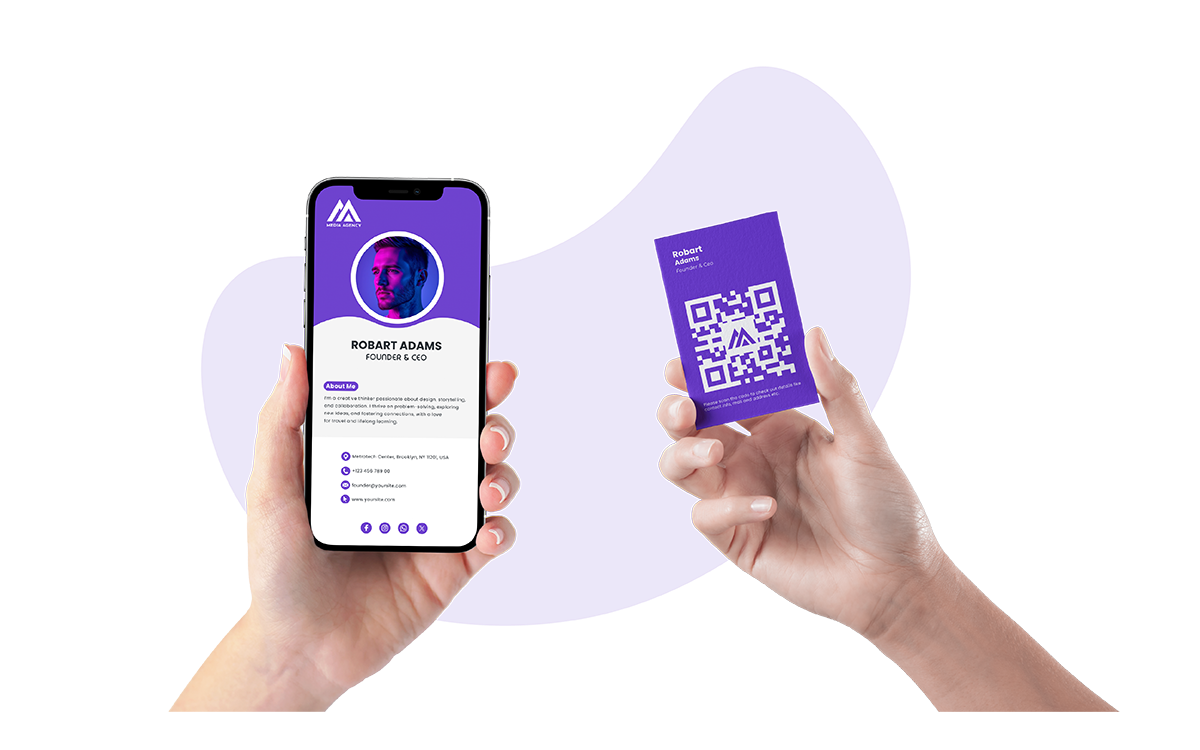
A digital business card enables instant, one-tap contact sharing and interactive portfolio display on mobile devices
Digital Business Cards vs. Traditional Paper Business Cards
While physical cards were once the standard for networking, they carry significant recurring printing expenses and limited physical space. Digital cards resolve these limitations by turning traditional introductions into interactive digital connections:
| Comparison Feature | Traditional Paper Business Card | Digital Business Card (Ninecard) |
| Contact Saving Process | Manual typing (prone to loss and typos) | One-tap direct save to mobile address book |
| Information Capacity | Restricted to a small physical card area | Unlimited (bio, social links, portfolio, booking) |
| Post-Print Editability | Impossible (requires reprinting entire batches) | Real-time updates without changing printed QR codes |
| Recurring Costs & Waste | High continuous printing costs and paper waste | Sustainable, reusable, and eco-friendly |
| Multimedia Integration | Static text and basic printed logos | Videos, PDF brochures, social links, and calendars |
| Cross-Platform Sharing | In-person physical handover only | In-person QR scanning, email signatures, NFC, chat links |
Ninecard: The Smart Digital Identity Platform
Ninecard (app.ninecard.one) is a specialized platform designed to help modern professionals, freelancers, and enterprise teams create sleek, customizable electronic business cards. By centralizing personal branding into a vanity URL, Ninecard provides an intuitive gateway for clients to save your phone numbers, emails, and social channels directly with one tap.
The platform operates entirely within native mobile browsers, removing the friction of mandatory mobile application downloads for your recipients. Ninecard offers flexible branding themes, custom avatars, multimedia embeds, and enterprise management tools, making it an ideal identity hub for companies seeking cohesive brand presentation across their workforce.
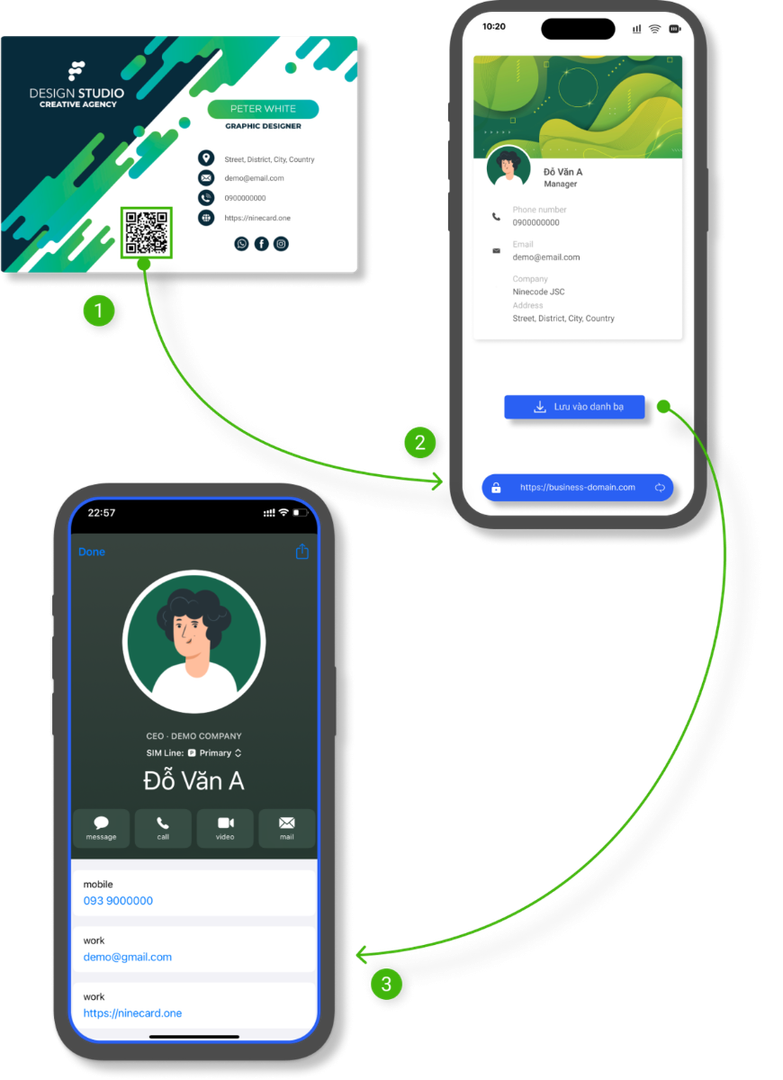
Ninecard provides branded digital profiles and one-tap contact saving without requiring app downloads
What Information Can You Include on a Digital Business Card?
A modern digital business card accommodates far more than a basic telephone number and physical address. It acts as a comprehensive professional profile that showcases your full credentials, including your job title, department role, company background, direct phone numbers, and corporate email addresses.
Professionals can also integrate dynamic communication links such as direct messaging channels, active LinkedIn profiles, GitHub repositories, online portfolios, and appointment booking links like Calendly. Interactive buttons, including "Save Contact", "Call Now", "Email Me", or "Get Directions" enable potential clients and collaborators to take action immediately.
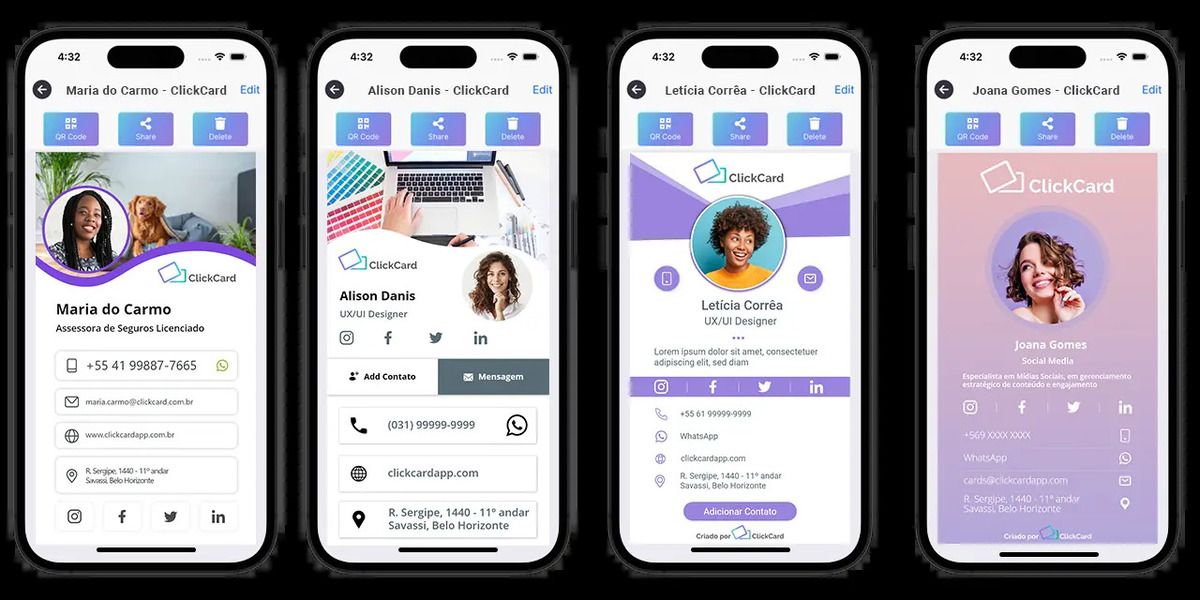
Digital cards store extensive contact details, portfolio links, and interactive communication buttons
How to Create a Digital Business Card in 4 Steps
Setting up your digital identity on Ninecard takes only a few minutes from any desktop or mobile browser:
- Register on Ninecard: Visit app.ninecard.one, create your account, and claim your personalized custom URL.
- Input Contact Details & Links: Fill in your professional headline, bio, phone numbers, corporate email, office location, and key social media links.
- Customize Visual Branding: Select layout styles, corporate color schemes, and upload your profile avatar and company logo.
- Export Your High-Resolution QR Code: Download your unique QR code in high-resolution PNG for digital sharing or vector SVG/EPS for printing on badges and merchandise.
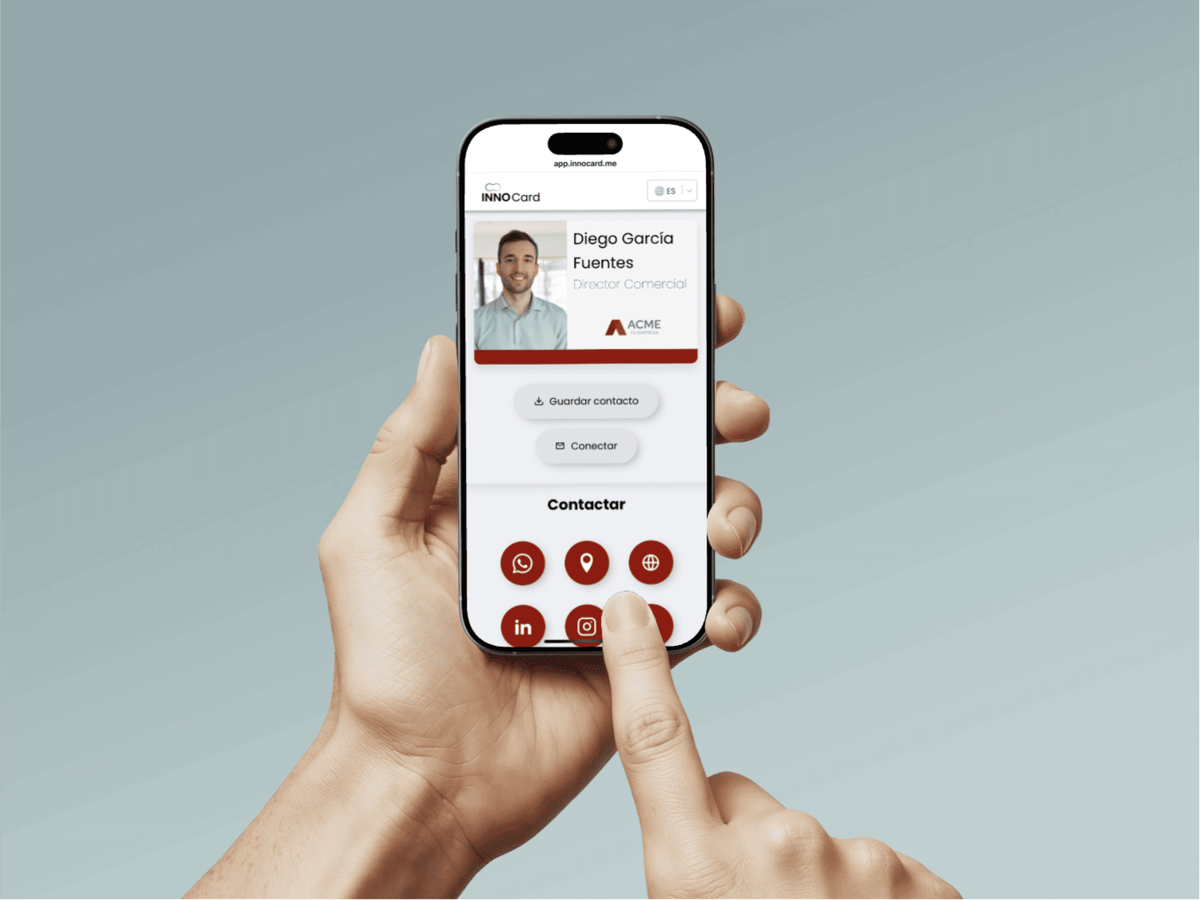
Creating a business card QR code involves choosing a format, entering details, customizing branding, and exporting vector files
Where to Display Your Digital Business Card QR Code
Digital card QR codes can be distributed across various touchpoints to capture leads in both physical and virtual settings. On physical items, you can print your code on durable plastic NFC cards, company badges, conference lanyards, product packaging, and printed marketing collateral.
In digital environments, embedding the QR code and your custom profile link in your email signature ensures every message carries your contact card. You can also place the code in the corner of your virtual background during Zoom or Microsoft Teams meetings, allowing presentation attendees to connect with you instantly.
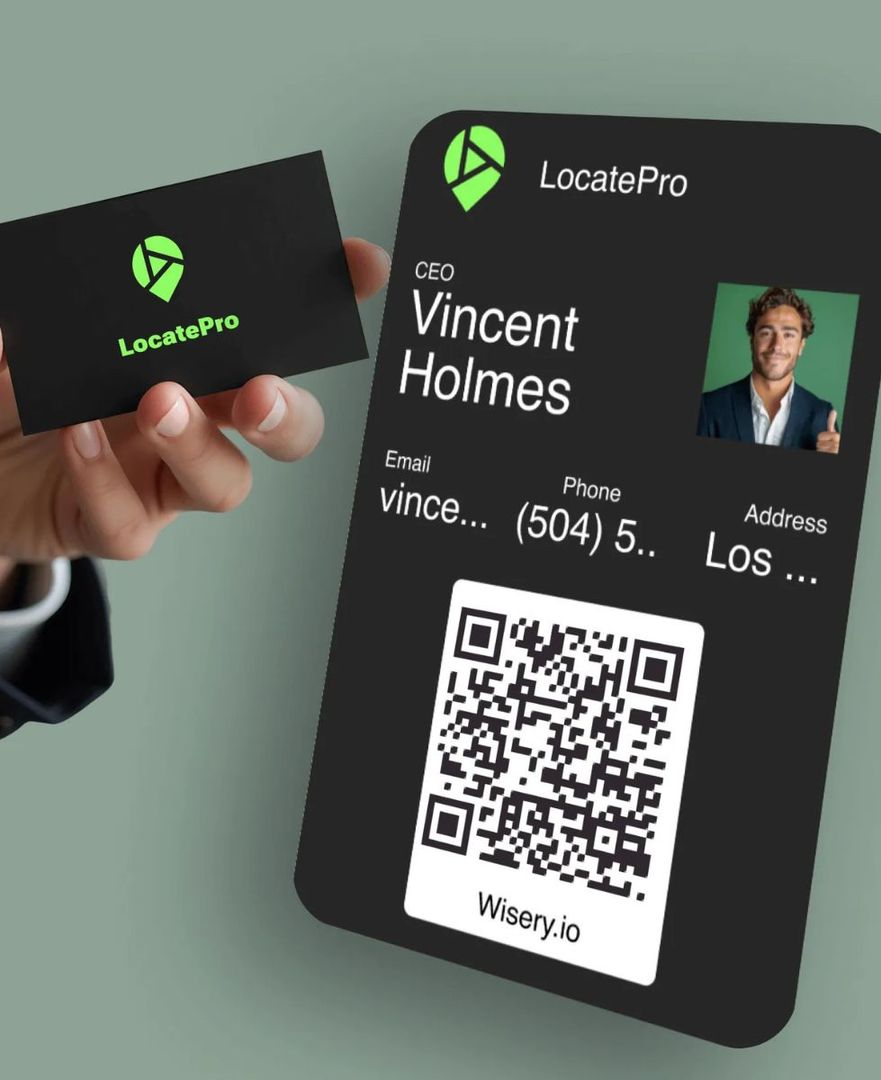
Display your business card QR code across printed stationery, email signatures, presentation decks, and mobile lock screens
Best Practices for Designing Scannable Business Card QR Codes
Maintaining scan reliability is vital when printing QR codes at compact dimensions on physical cards and event passes. Applying a few essential technical design guidelines ensures your code scans reliably across all devices:
- Use Dynamic Links: Keep the encoded matrix clean and sparse to allow camera sensors to read the code effortlessly, even at smaller dimensions.
- Maintain High Visual Contrast: Use dark modules over a clean, light background, avoiding low-contrast palettes and busy background patterns.
- Preserve the Quiet Zone: Keep an unobstructed border margin around all four edges so optical scanners can isolate the code matrix.
- Adhere to Minimum Dimensions: Ensure the printed QR code measures at least 2 cm × 2 cm (0.8 in × 0.8 in) on paper materials.
- Add an Actionable Call-to-Action: Include a clear frame label such as "Scan to Save Contact" so recipients know what action to take immediately.
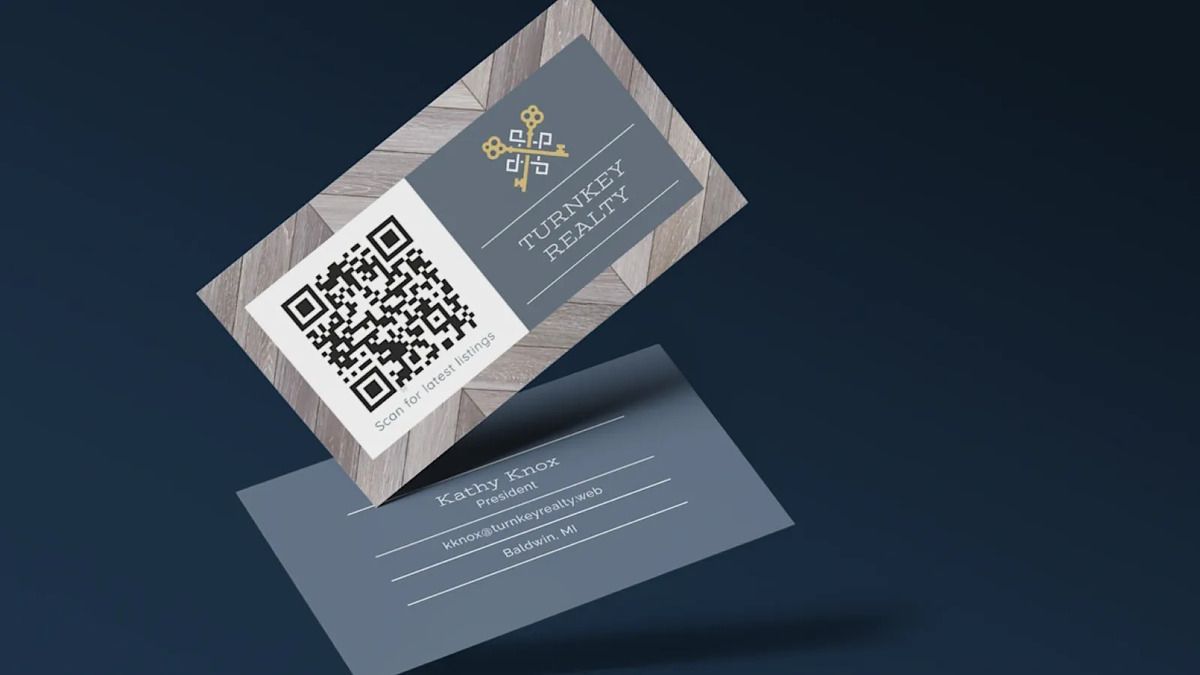
Ensure scannability by using dynamic codes, high contrast, clean margins, and clear call-to-action frames
Frequently Asked Questions (FAQ)
Can someone save my contact details without installing the Ninecard app?
Yes. Ninecard profiles run directly within native mobile browsers. When someone scans your QR code or clicks your link, they simply tap "Save to Contacts" to download your vCard file directly into their phone.
What happens if I change my phone number or job position?
Because Ninecard utilizes dynamic link architecture, you can update your phone number, email, or company information in your dashboard at any time without reprinting physical cards or changing your QR code.
Can enterprise teams use custom domains on Ninecard?
Yes. Organizations can connect custom corporate domains to Ninecard, ensuring that employee digital cards align with the official company website and brand guidelines.
Is my digital business card accessible offline?
Once a recipient downloads and saves your vCard contact file to their device address book, your details remain accessible offline. However, loading your live dynamic profile page requires an active internet connection.
Transitioning to digital business cards represents a practical and sustainable evolution in professional networking, ensuring your contact details remain permanently accurate and accessible without recurring printing costs. To elevate your networking and digital identity today, QRCode GEN provides an all-in-one generator to create high-resolution vCard QR code and Dynamic QR code solutions, perfectly integrated with specialized platforms like Ninecard for smart digital business cards and Nine Menu for interactive contactless experiences.