Printing a barcode at improper dimensions often causes focus lag, optical blur, and abandoned scans on mobile devices. Choosing the right qr code size for print is essential to ensure your marketing collateral, restaurant menus, product packaging, and large-format banners scan instantly across any distance. By leveraging high-resolution vector assets from QRCode GEN, you can scale and customize dynamic QR codes to the exact physical dimensions required for flawless commercial printing without sacrificing matrix clarity.
Why QR Code Size Matters for Print Materials?
A printed QR code functions as an optical data grid that smartphone sensors must detect, focus on, and decode in milliseconds. If the physical modules are too small relative to the lens aperture, the sensor registers optical blur rather than clean binary data, especially on budget smartphone hardware or in low-light environments.
Beyond basic scannability, sizing directly impacts user conversion rates. When attendees or customers notice a well-proportioned, visually distinct code with ample surrounding white space, they are significantly more likely to initiate a scan. Designing with standard sizing ratios in mind ensures that every promotional flyer, restaurant table stand, or exhibition banner works reliably on the first attempt.
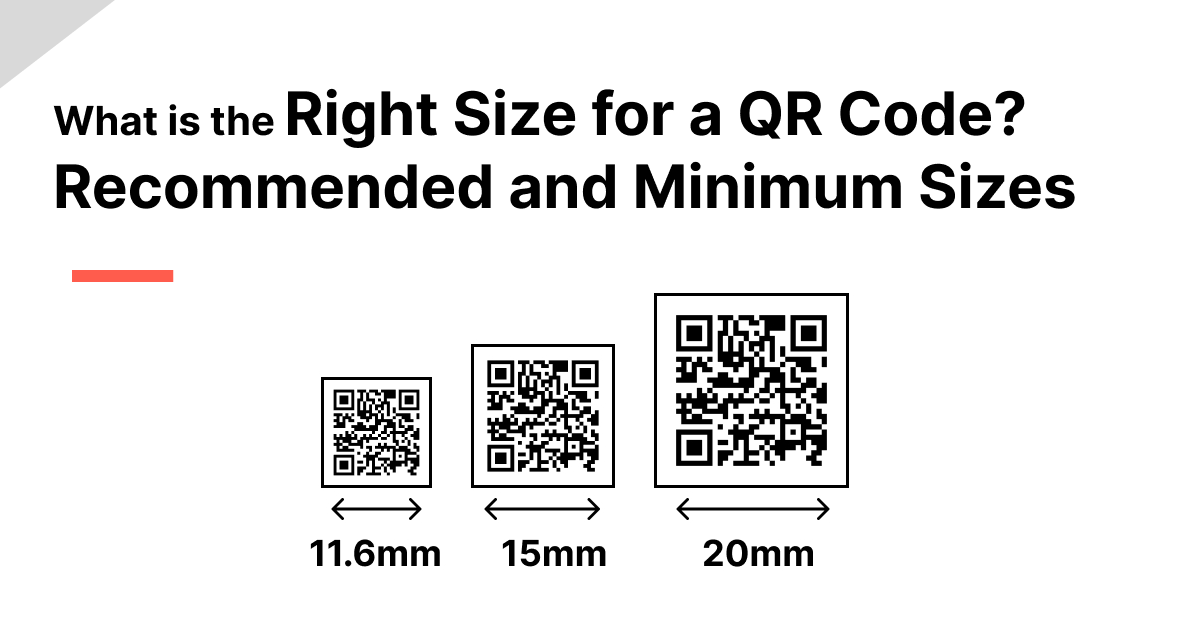
Proper QR code sizing prevents optical scanning failures and eliminates costly batch reprints
What Is the Absolute Minimum QR Code Size for Print?
For standard handheld reading distances, international optical standards establish specific dimensional baselines:
- Minimum Recommended Dimension: 2 cm × 2 cm (0.8 in × 0.8 in) for standard smartphone camera sensors.
- Absolute Functional Lower Limit: 1.5 cm × 1.5 cm (0.6 in × 0.6 in), applicable strictly to low-density dynamic codes printed at ultra-high resolution.
- Minimum Print Resolution: 300 DPI (Dots Per Inch) to eliminate jagged edges and module bleeding on physical substrates.
- Sub-Centimeter Limitations: Printing below 1.5 cm drastically increases scan failure rates on entry-level smartphone cameras and under dim ambient lighting.
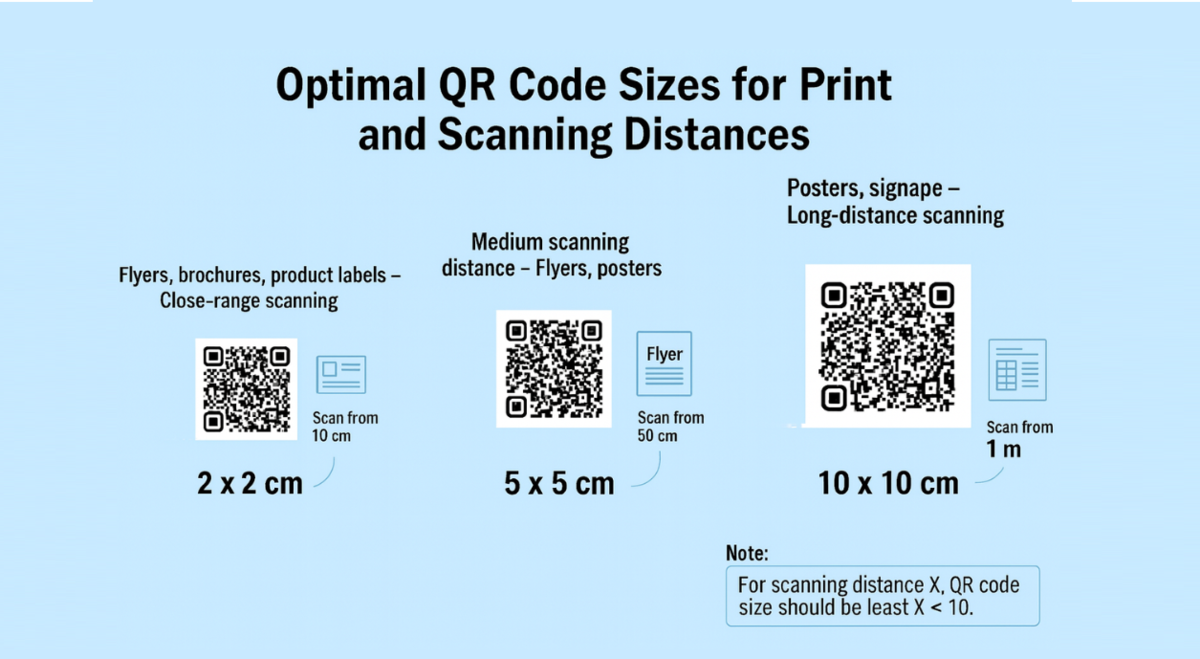
Adhering to the minimum 2 cm standard ensures optical reliability across all smartphone camera lenses
Recommended QR Code Sizing by Scanning Distance and Print Medium
Selecting the appropriate physical dimensions depends directly on where the printed collateral is placed and how far away the user stands. Use this comprehensive reference table to identify minimum and recommended dimensions across common print applications:
Print Medium & Use CaseMinimum SizeRecommended SizeTypical Scanning DistanceBusiness Cards & Badges2.0 cm × 2.0 cm2.5 cm × 2.5 cm15 – 30 cmFlyers & Brochures2.5 cm × 2.5 cm3.0 cm × 3.0 cm20 – 40 cmTable Tents & Menus3.0 cm × 3.0 cm4.0 cm × 4.0 cm30 – 50 cmPosters (A3 / A2 Formats)5.0 cm × 5.0 cm8.0 cm × 8.0 cm0.5 – 2.0 mWindow Displays & Decals10.0 cm × 10.0 cm15.0 cm × 15.0 cm1.0 – 3.0 mTrade Show Banners & Backdrops15.0 cm × 15.0 cm20.0 cm × 20.0 cm2.0 – 5.0 mBillboards & Transit Signs50.0 cm × 50.0 cm1.0 m × 1.0 m5.0 – 20.0 m
The 10:1 Distance-to-Size Scanning Ratio Explained
When designing non-standard print formats or oversized outdoor graphics, applying the industry-standard 10:1 Scanning Ratio Formula ensures proportional optical readability:
Scanning Distance = QR Code Width × 10
QR Code Width = Scanning Distance / 10
This geometric relationship dictates that the minimum width of your QR code should equal one-tenth of the total distance between the physical code and the person holding the smartphone. For example, if a tradeshow booth banner will be scanned by visitors standing 3 meters (300 cm) away, the code matrix must measure at least 30 cm in width. Calculating scale based on actual human viewing geometry prevents the common mistake of sizing codes solely relative to overall canvas dimensions.
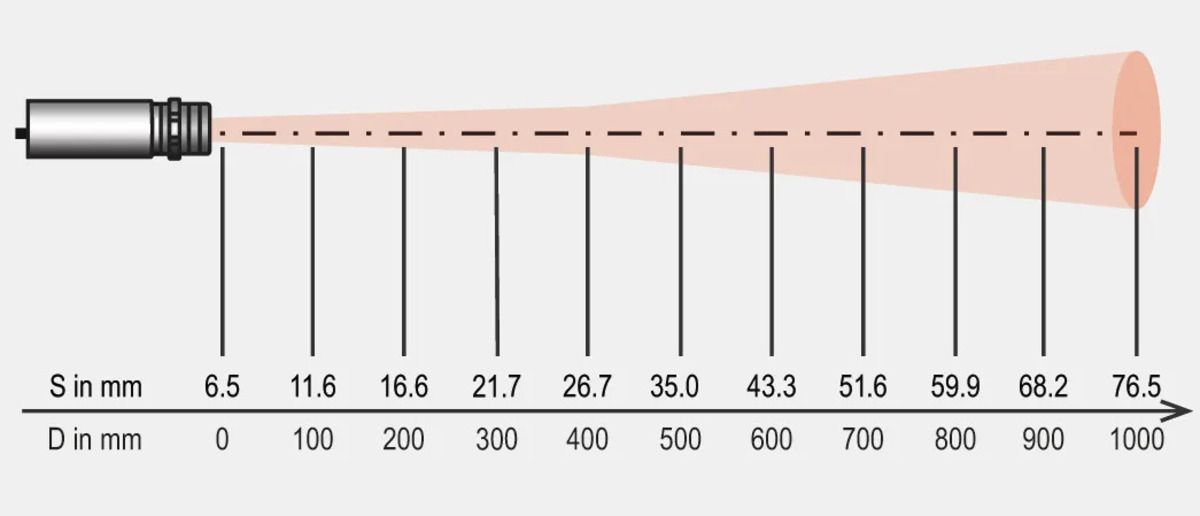
The 10:1 distance ratio ensures your QR code scales proportionally with attendee viewing distance
Beyond Dimensions: Essential Design and Substrate Factors That Impact Scannability
While choosing the correct physical scale is essential, a large QR code can still fail to scan if critical graphic design and material factors are neglected:
- Data Density & Dynamic Architecture: Using dynamic short links keeps the pixel grid sparse and readable at compact sizes, whereas dense static text packs hundreds of tiny modules that blur easily when printed. Pairing your campaigns with a dedicated QR code for PDF allows you to share large documents through a clean, lightweight matrix.
- The Quiet Zone (Margin Rule): Maintain an unobstructed solid border margin equal to at least 4 module widths around all four outer edges so mobile cameras can isolate the barcode pattern.
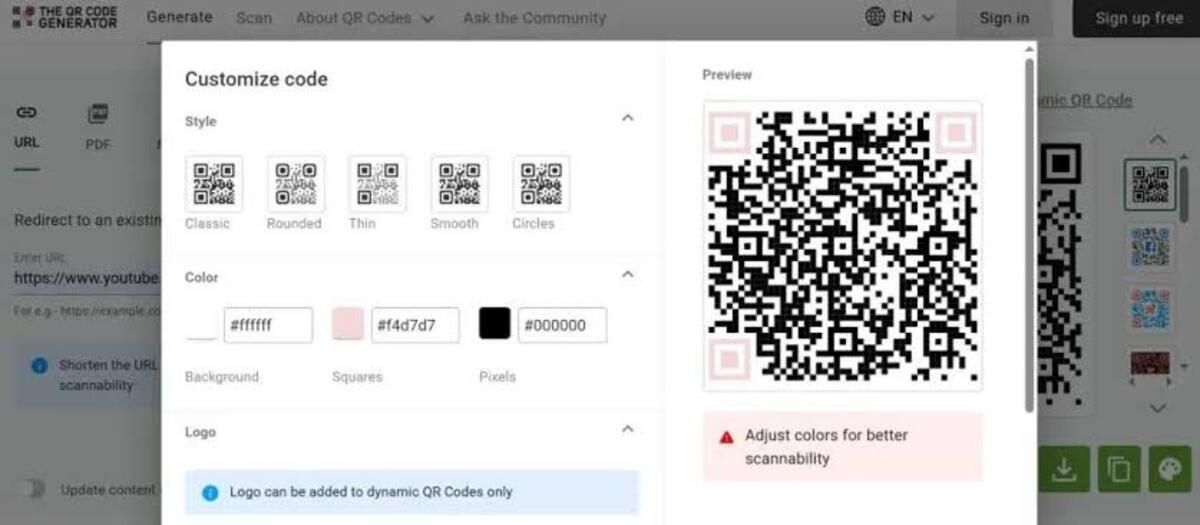
- Visual Contrast & Color Choices: Use dark foreground modules on a light, solid background; low-contrast pastel combinations or inverted dark themes reduce optical camera sensitivity.
- Center Logo Scaling & Safe Zones: Ensure embedded corporate logos occupy no more than 25–30% of the total area and leave the three corner positioning squares completely unobstructed.
- Substrate Glare & Surface Curvature: Select matte finishes or anti-reflective laminates to avoid optical glare from ambient lights, and avoid placing codes across extreme bottle curves or packaging folds.

Matrix density, quiet zone margins, color contrast, and matte finishes dictate optical readability on print
How to Calculate, Test, and Export Print-Ready QR Codes in 4 Steps
Setting up error-free print assets requires four clear technical stages:
Step 1: Calculate Dimensions Based on Viewing Distance
Determine where your physical collateral will be placed, measure the expected scanner distance, and apply the 10:1 ratio to establish the base dimensions.
Step 2: Select Vector File Formats
Export your finalized code in vector formats (SVG, EPS, or PDF) rather than raster files (PNG/JPG) to allow lossless scaling on large banners without pixel distortion.
Step 3: Verify Contrast and Quiet Zones
Ensure foreground-to-background contrast ratios exceed 4:1 and verify that the 4-module quiet zone margin remains unobstructed by surrounding artwork or text.
Step 4: Conduct Real-World Proof Scanning
Print a 1:1 physical proof on the final paper or vinyl substrate, testing optical detection across multiple iOS and Android devices under varied lighting conditions.
Calculating viewing distances, choosing vector formats, and testing physical proofs ensure flawless print execution
>>> Read more: Instructions for adding a brand logo to a QR code on qrcode-gen.com
Frequently Asked Questions (FAQ)
What happens if I print a QR code smaller than 2 cm?
Printing below 2 cm increases scanning latency and causes optical focus failures, especially on older smartphone lenses, budget mobile sensors, or under low-light conditions.
Does the amount of data encoded affect the required print size?
Yes. Encoding lengthy URLs or dense static text adds more rows and columns of tiny pixels, requiring a larger print size to remain readable; using dynamic short links resolves this issue.
What is the best file format for printing large-scale QR codes?
Vector files such as SVG or EPS are best because they scale infinitely to billboard dimensions with crisp lines, whereas raster PNG or JPG files become pixelated when enlarged.
Why does my printed QR code fail to scan even though it is large enough?
Common causes include low color contrast, insufficient quiet zone margins, glare on glossy finishes, curved packaging surfaces, or logos covering the corner finder eyes.
Determining the right QR code size for print requires balancing physical viewing distance, data density, substrate finish, and optical margin standards. Applying the 10:1 distance formula and maintaining a baseline size of at least 2 cm × 2 cm ensures that your physical marketing assets, menus, badges, and large-format banners scan instantly across every device. To generate scalable, high-resolution codes ready for commercial printing, QRCode GEN provides an all-in-one generator to create vector dynamic QR codes with zero scan limits.