Offline campaigns such as flyers, banners, standees, billboards, and display booths can still play an important role alongside digital advertising. Their main limitation is measurement: it can be difficult to tell whether people noticed the campaign, interacted with it, or took steps toward making a purchase.
Pairing a Google Form with a QR code gives offline campaigns a practical way to collect responses and encourage customer interaction. The feedback can help you understand what customers think and refine your communications strategy.
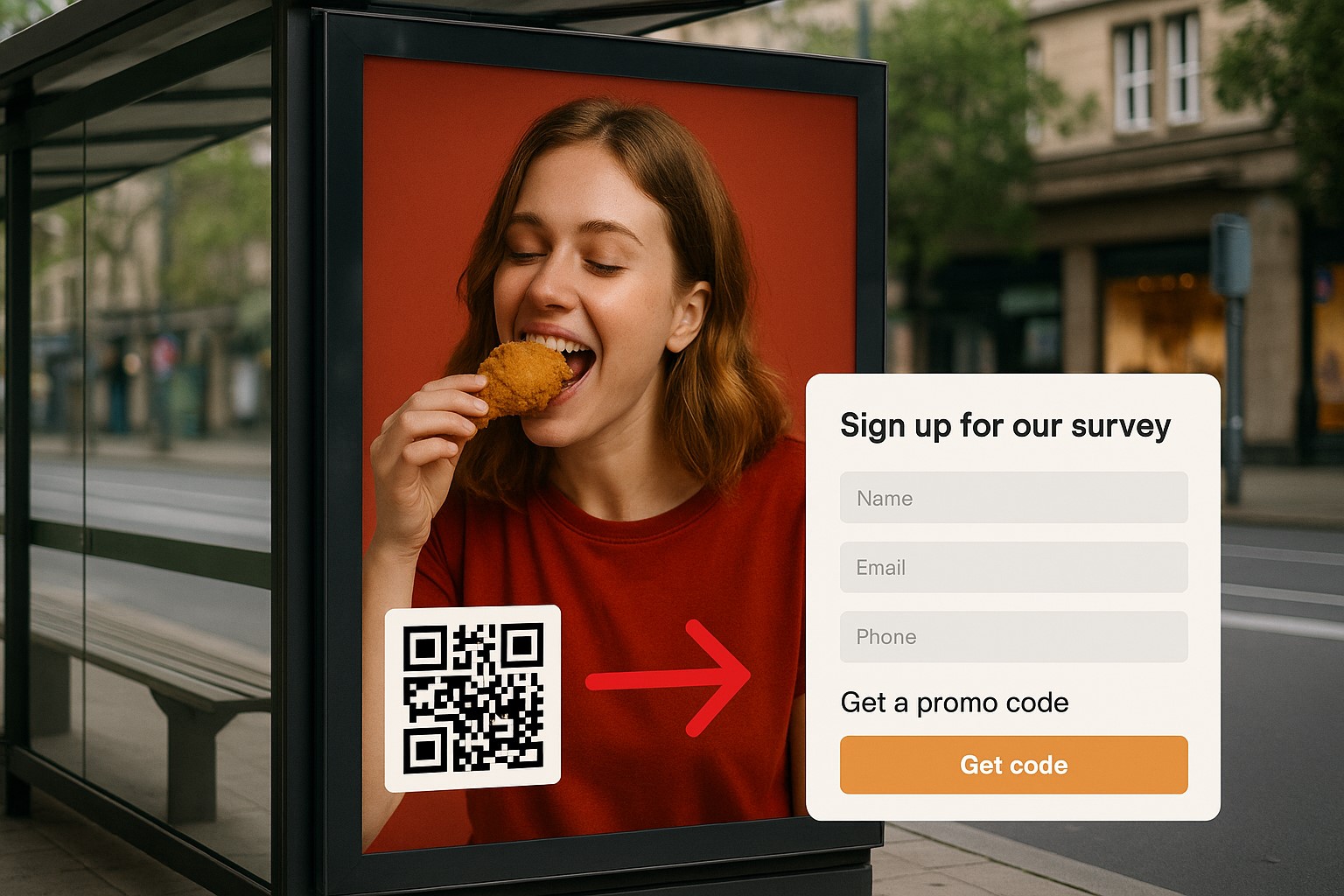
Why offline advertising still matters
While digital marketing dominates many campaigns, offline advertising remains valuable across a range of industries:
- Physical brand presence: Posters and billboards in high-traffic locations can strengthen brand recall.
- Reaching people with limited online access: This may include older audiences or consumers in areas where internet access is less widespread.
- Creating direct experiences: Event booths, roadshows, and sampling activities let customers engage with the brand in person.
The challenge is knowing how many people interacted with an advertisement and whether the campaign delivered meaningful results.
Using Google Forms and QR codes for measurement
1. Google Forms: a simple, free way to collect data
Google Forms lets you create surveys, registration forms, and feedback forms in minutes at no cost. Responses are automatically sent to Google Sheets, where you can review, analyze, and summarize the data.
2. QR codes: a link between offline and online
When you print a QR code that leads to a Google Form on offline materials, customers can interact immediately without needing assistance from sales staff. With one scan, they can submit feedback, join a mini-game, receive a promotional code, or register their details. A cloud drive and forms QR code is a practical option for linking directly to an online form.
How to create a Google Form for an offline advertising campaign
Step 1: Define what you want to measure
Start by deciding what you want to learn from the campaign:
- How many people saw the poster?
- How many people scanned the QR code and submitted a response?
- Where did customers hear about the product?
- Do they remember the advertisement?
- Are they willing to share their details or sign up for promotions?
Step 2: Build a form around those objectives
You might include questions such as:
- Where did you see our advertisement? (Choose from flyer, poster, bus, booth, and more.)
- What made you scan this QR code?
- Which product or service are you interested in?
- How would you rate the design, scale, or appeal of the advertisement? (1–5 stars)
- Would you like to receive future offers or promotions by email? (Enter your email address.)
Step 3: Create a QR code for the form
Once your Google Form is ready:
- Click “Send,” select the link icon, and shorten the link.
- Use a QR code generator to turn the form link into a QR code.
- Match the code to your brand by adjusting its colors or adding a logo with a custom QR design.
Encouraging customers to scan
1. Make the QR code easy to spot
- Do not make the QR code too small or place it where it is easy to miss.
- Consider placing it in the center or near the bottom of the poster with a clear message, such as “Scan to receive an instant offer!” or “What do you think of this ad? Scan to share your feedback!”
2. Give people a reason to scan
- Offer vouchers or discount codes after the form is completed.
- Let participants enter a lucky draw.
- Direct people to an engaging quiz or mini-game.
3. Review responses in Google Forms
- Google Sheets can show the time, device, and content of each response.
- Add UTM parameters or hidden information to the URL, such as
?source=poster_BenThanh, to identify the specific advertising source.
Common mistakes to avoid
- The QR code does not work: The link may be too long, broken, or connected to a Google Form that is not public. Test it thoroughly before printing.
- No clear call to action: Without a clear reason to scan, customers may not understand what the QR code is for.
- The form is too long: People passing by may not have time to answer 10 questions.
- Not reviewing the data regularly: Collecting feedback without organizing or measuring it serves little purpose.
Google Forms and QR codes can make offline advertising easier to measure. They provide a simple way to collect feedback, encourage interaction, and use customer responses to improve future campaigns.
Get started by creating a Google Form, linking it to a QR code, and adding it to your posters so you can measure each offline advertising campaign more systematically.