All of us have at least once felt awkward when asking for the WiFi password at a coffee shop, office, or even when friends come over. Entering a long password with special characters or uppercase letters often wastes time for customers, partners, or relatives—and sometimes leads to repeated typing errors. That’s why the QR code for WiFi solution was created as a convenient, modern step forward, helping to share the network quickly without having to share the password with each person individually.
What is a WiFi QR code?
A WiFi QR code is a type of quick response code (QR code) that contains all the necessary network connection information, including:
-
Network name (SSID)
-
Security type (WPA/WPA2/WEP)
-
Access password
When users scan the code with their phone camera or an integrated QR code scanning app, the device will automatically recognize and suggest connecting to the WiFi without needing to manually enter the password. This not only saves time but also enhances security—you don’t have to reveal the password, especially in public places or offices.
Benefits of using QR codes to share WiFi
Sharing WiFi via QR code not only offers convenience but also improves user experience in many aspects:
1. No need to type the password: This is the biggest advantage. Users just need to open the camera, scan the code, and tap “Connect”—as simple as opening a website.
2. Enhanced security: You don’t have to disclose the password to each person, avoiding the risk of it being leaked or changed by strangers. In office environments, this is especially important.
3. More professional experience: Posting the QR code on tables, walls, or at the reception desk makes customers feel convenient, modern, and demonstrates the business’s professionalism.
4. Saves staff time: Staff don’t have to answer “What’s the WiFi?” or “What’s the password?” dozens of times a day.
5. Easy to update or change: You can generate a new code in seconds if you need to change the password, without editing documents or remembering anything extra.
How to create a WiFi QR code easily with qrcode-gen
Step 1: Go to the code creation page at qrcode-gen.com
qrcode-gen is a free, easy-to-use QR code generation platform that supports many types of codes, including WiFi QR codes.
Step 2: Select the “WiFi” code type
On the code creation interface, select the WiFi type. Here, you need to fill in some information such as:
-
SSID: The WiFi network name you want to share.
-
Security type: Usually WPA/WPA2.
-
Password: Enter the correct WiFi network password.
Step 3: Customize the QR code appearance (optional)
You can personalize the code by:
-
Choosing brand colors
-
Adding a logo
-
Changing the style of the code’s corners
-
Adding a border or WiFi icon below
This makes the QR code stand out and look more attractive when printed, especially in business environments such as restaurants, hotels, cafes, etc.
Step 4: Generate and download the QR code
Once finished, just click the “Generate QR code” button and download it in PNG, SVG, or PDF format. Now, you can print the code, stick it on tables, notice boards, or integrate it into menus and brochures.
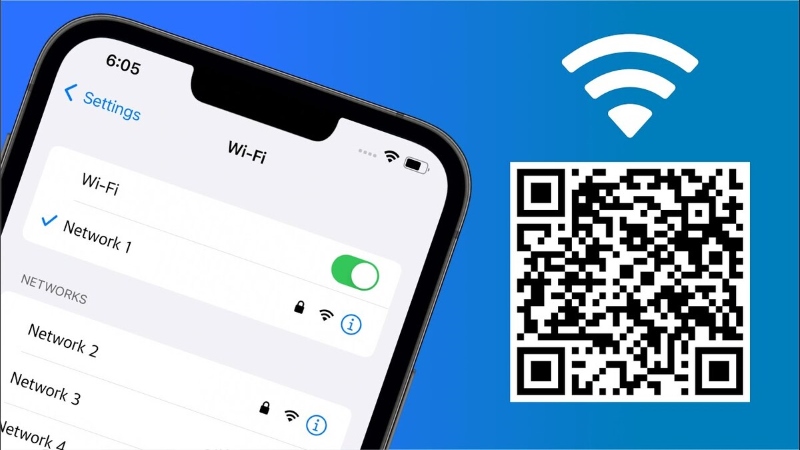
Some highly effective scenarios for using WiFi QR codes
In coffee shops and restaurants
Currently, many cafes print the WiFi password on the customer’s menu, which seems convenient but is not optimal because customers still have to spend time entering the password. With QR codes, you just need to stick the code on each table or integrate it into the menu. This increases customer satisfaction and creates a more professional image.
In offices and meeting rooms
For businesses that frequently welcome partners, sharing WiFi via QR code is a thoughtful, quick gesture that shows careful preparation.
In homestays and hotels
Instead of handwriting the password on paper, print the QR code and stick it in the room—simple, attractive, and much more convenient.
At events and conferences
Guests attending often need WiFi access. A QR code board at the reception or directly on the badge is an ideal solution, reducing the burden on organizers and providing a smooth experience.
Notes when sharing networks via QR code
Although WiFi QR codes offer convenience, you should keep a few things in mind to ensure safety and effectiveness:
-
Do not share the company’s internal network via public QR codes to avoid data leaks.
-
Use a separate WiFi network for guests, isolated from the internal network.
-
Regularly update the password and QR code if you need to increase security.
-
Consider hiding the password if the code is posted in public areas so users can connect without seeing the information clearly.
WiFi QR codes are a smart, fast, and professional network sharing solution, suitable for individuals, businesses, and event organizers. With just one scan, users can connect to WiFi without having to remember or enter a password—saving time, enhancing experience, and reducing security risks.
Start creating your WiFi QR code at qrcode-gen.com today to elevate professionalism in your space. Whether it’s a small coffee shop or a large corporation, a single scan can make a difference.